
Design variants – try a new look without touching the live site
Save up to five looks of a website, share them with a single link, let people vote and apply the winner. Your content never changes, and you can always go back to the original look.
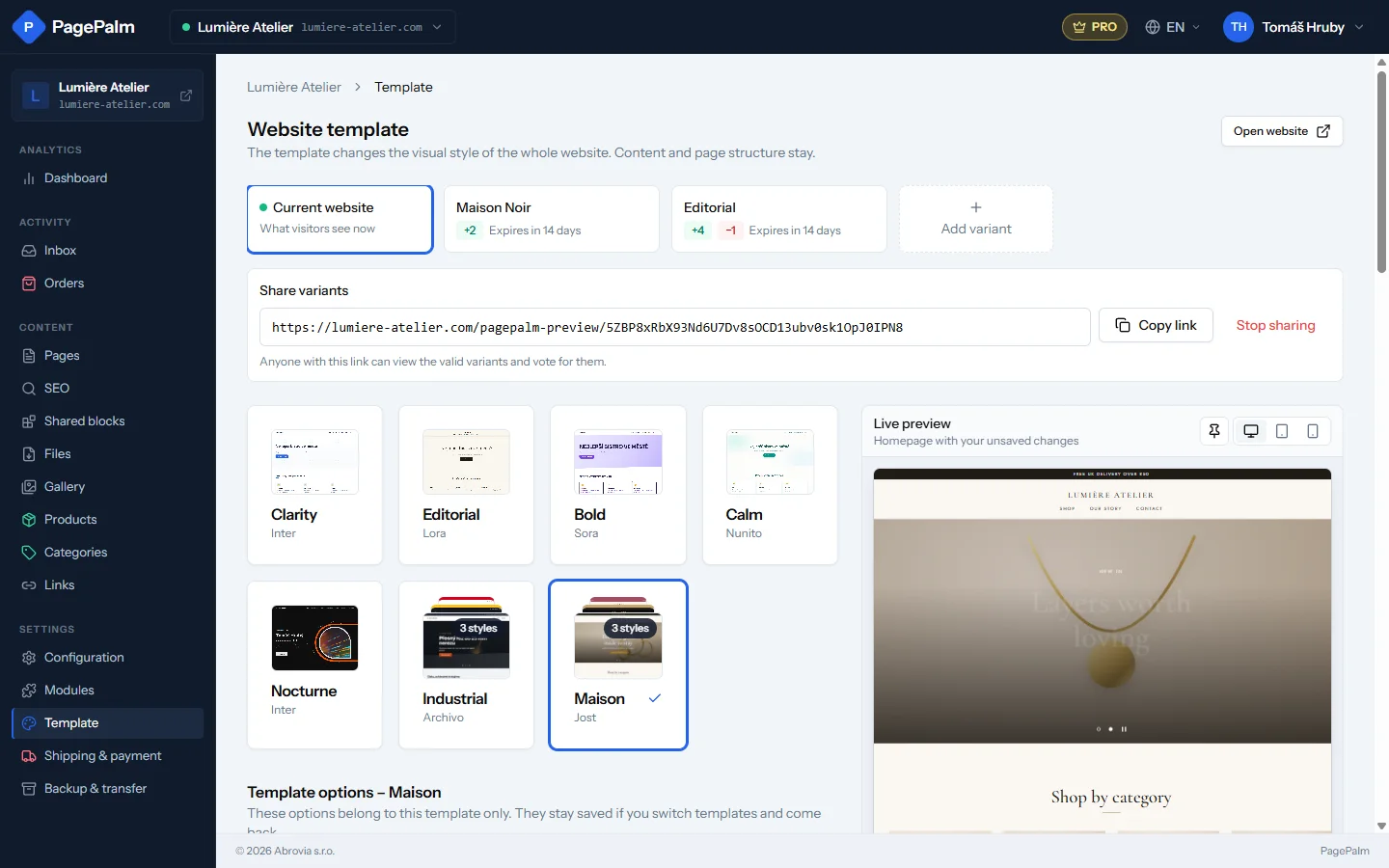
Changing the look of a website used to be a leap of faith. Every click on another template or colour was written straight to the live site, so trying things out meant your visitors watched you experiment.
Design variants fix that. A variant is a saved look of one website: template, style, brand colours and fonts, template options, hero height and catalog navigation. You tune it on the Template page with the same controls as before, and the live preview shows the result, while visitors keep seeing the current website.
Share, vote, decide
Switch on sharing and you get one link. Anyone who opens it sees your website with a small bar on top: they can switch between the variants, look at them on desktop, tablet or phone, and vote with a thumbs up or down. You see the votes on the variant cards in the studio.
It is a handy tool for agencies ("here are three proposals, tell us which one you like") and just as useful for the family business deciding on a new look over dinner.
Apply, and go back whenever you want
When you are happy, click Apply to website. The variant becomes the live look and stays saved. Tip: a new variant always starts as a copy of the current look, so keep one copy unchanged before you apply another, and your original look is one click away whenever you want it back. The content of your pages, the images and the menu are never touched: a variant only carries the look.
Good to know
- Up to five variants per website, valid for 14 days (extend them with one click).
- Shared previews are never indexed by search engines.
- Variants are available on every plan, including Free.