
Visit statistics – see who comes to your website, without cookies
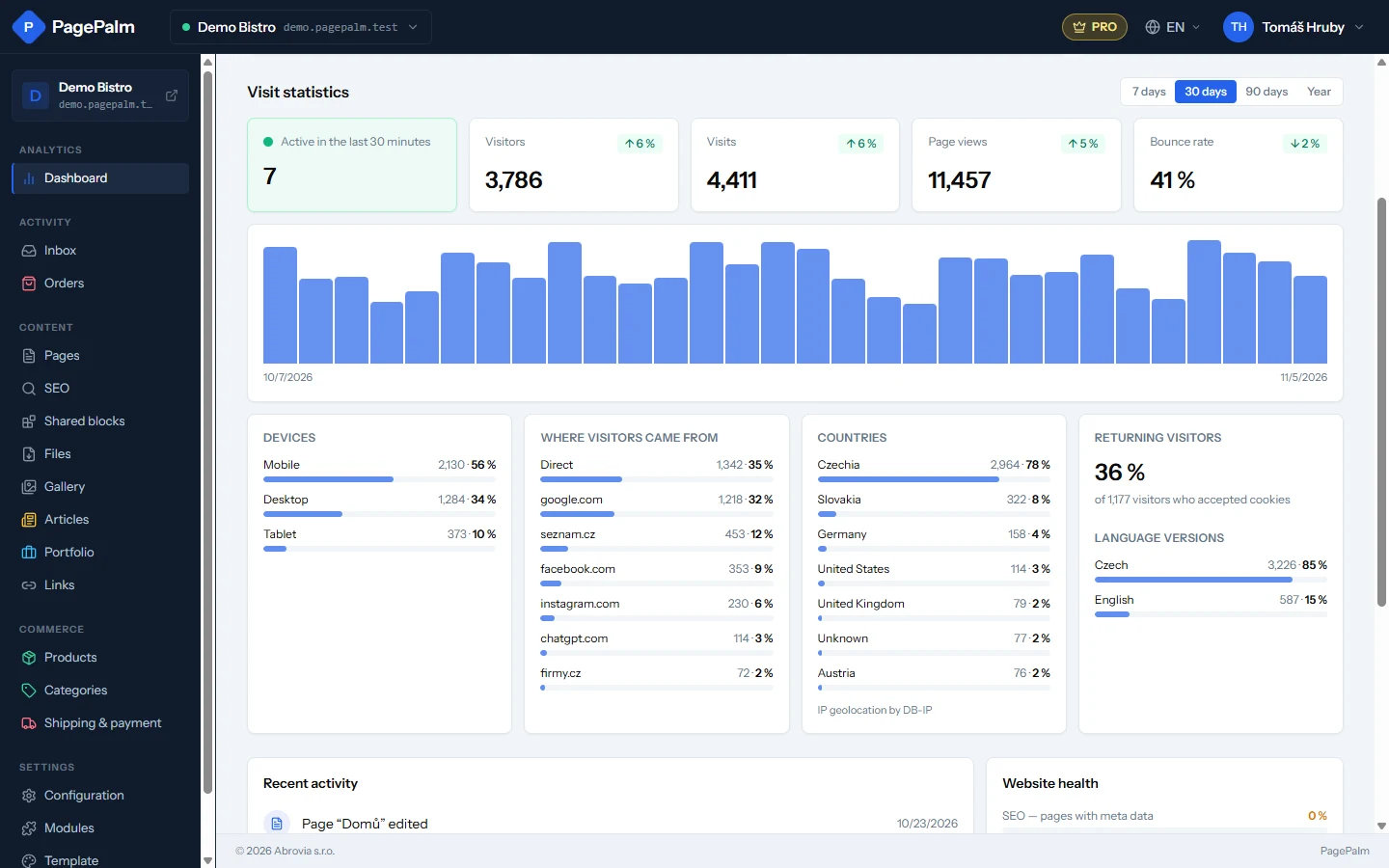
Every PagePalm website now counts its visitors. The Dashboard shows who is on your site right now, visits over a week, a month or a year, phones versus computers, countries and where people came from. No setup, no cookie bar needed.
Until now, the only way to see how many people visit your website was to add Google Analytics and look somewhere else. From today the numbers are right in the studio, for every website, on a PagePalm subdomain and on your own domain alike.
What you see on the Dashboard
Open the Dashboard of a website and you will find a new Visit statistics block:
- Active in the last 30 minutes – how many people have loaded a page recently.
- Visitors, visits, page views and bounce rate for the last 7 days, 30 days, 90 days or a year, compared with the period before.
- A chart by day, so you can see which days are busy and whether a newsletter or a post worked.
- Devices – how many people come on a phone, a tablet or a computer.
- Where visitors came from – Google, Seznam, Facebook, Instagram, other websites, or directly.
- Countries, and on a multilingual website the language versions people read.
The overview of all your websites also shows, on every website card, how many people are online and how many came in the last week.
Private by design
We count visits without cookies and without storing anything in the visitor's browser. We never keep IP addresses, and the data stay on our servers – nothing is sent to Google or anyone else. That is why the statistics work without a cookie bar and need no consent.
Returning visitors
To tell a returning visitor from a new one, a website has to remember something in the browser, and that needs the visitor's consent. In Settings → Visit statistics, tick Recognise returning visitors: it turns on the cookie bar, and for everyone who accepts it the Dashboard shows the share of returning visitors. If you use Google Analytics, the cookie bar now turns on automatically when you fill in its ID, so it runs only with consent.
How much history
The Free plan shows the last 30 days, Starter 90 days and Pro the whole history. Nothing is deleted when you change plans: the data are just hidden until you have a plan that shows them.